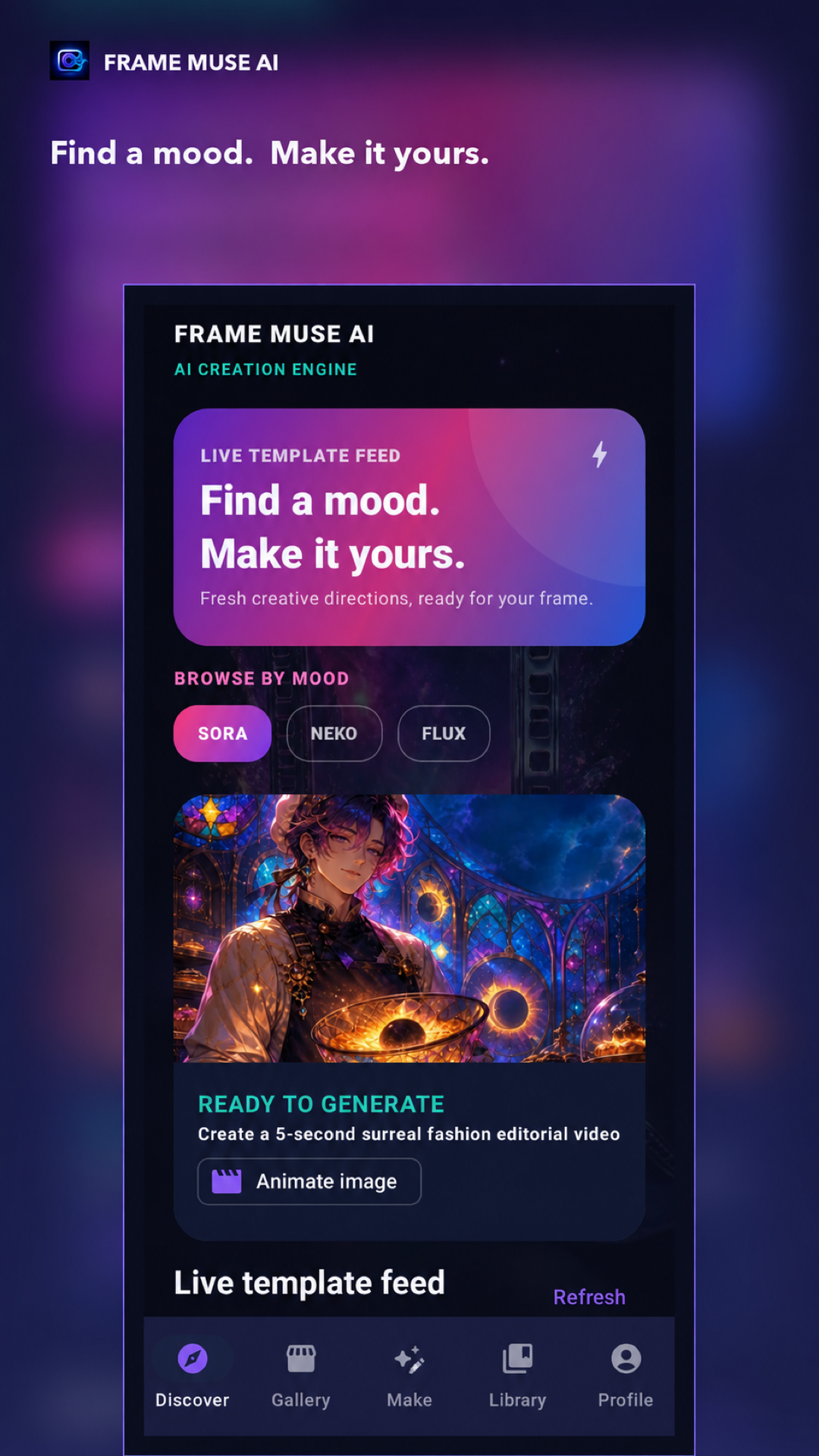
Find a mood. Make it yours.
Your focused director desk for turning ideas into striking AI images and short videos. Start with a prompt, remix a reference photo, or explore curated model feeds.
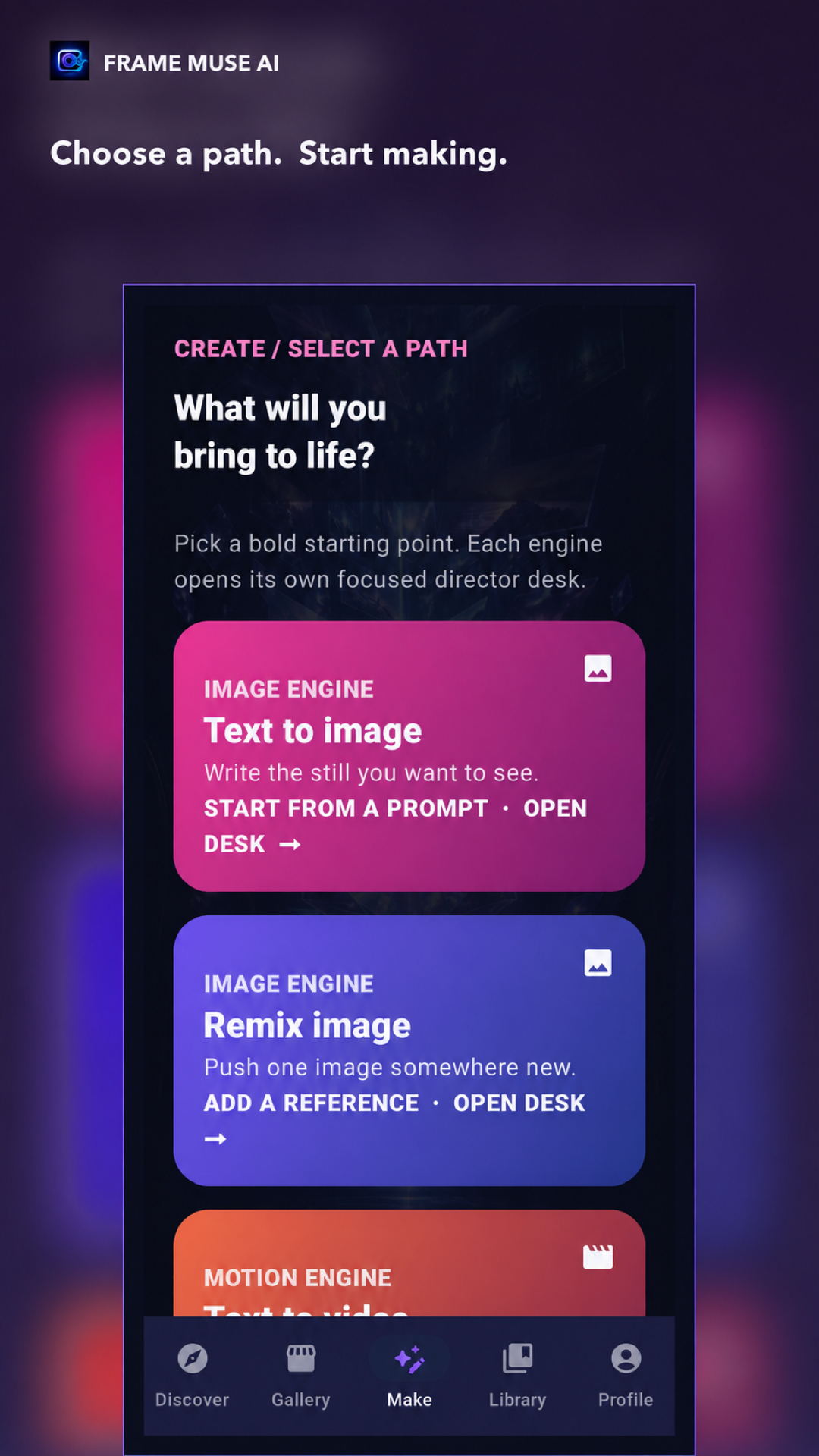
Choose a path. Start making.
Pick a bold starting point. Each engine opens its own focused director desk with tailored controls.
Text to image
Write the still you want to see. Start from an idea, mood, or intricate scene and materialize high-fidelity visuals.
Remix image
Push one image somewhere new. Add a reference photo and open your desk to blend styles, lighting, and subjects.
Text to video
Bring a written concept to life as a short video. Generate fluid motion, camera pans, and cinematic lighting.
Animate image
Give a still image movement, atmosphere, and momentum. Breathe living dynamics into portraits and scenic captures.
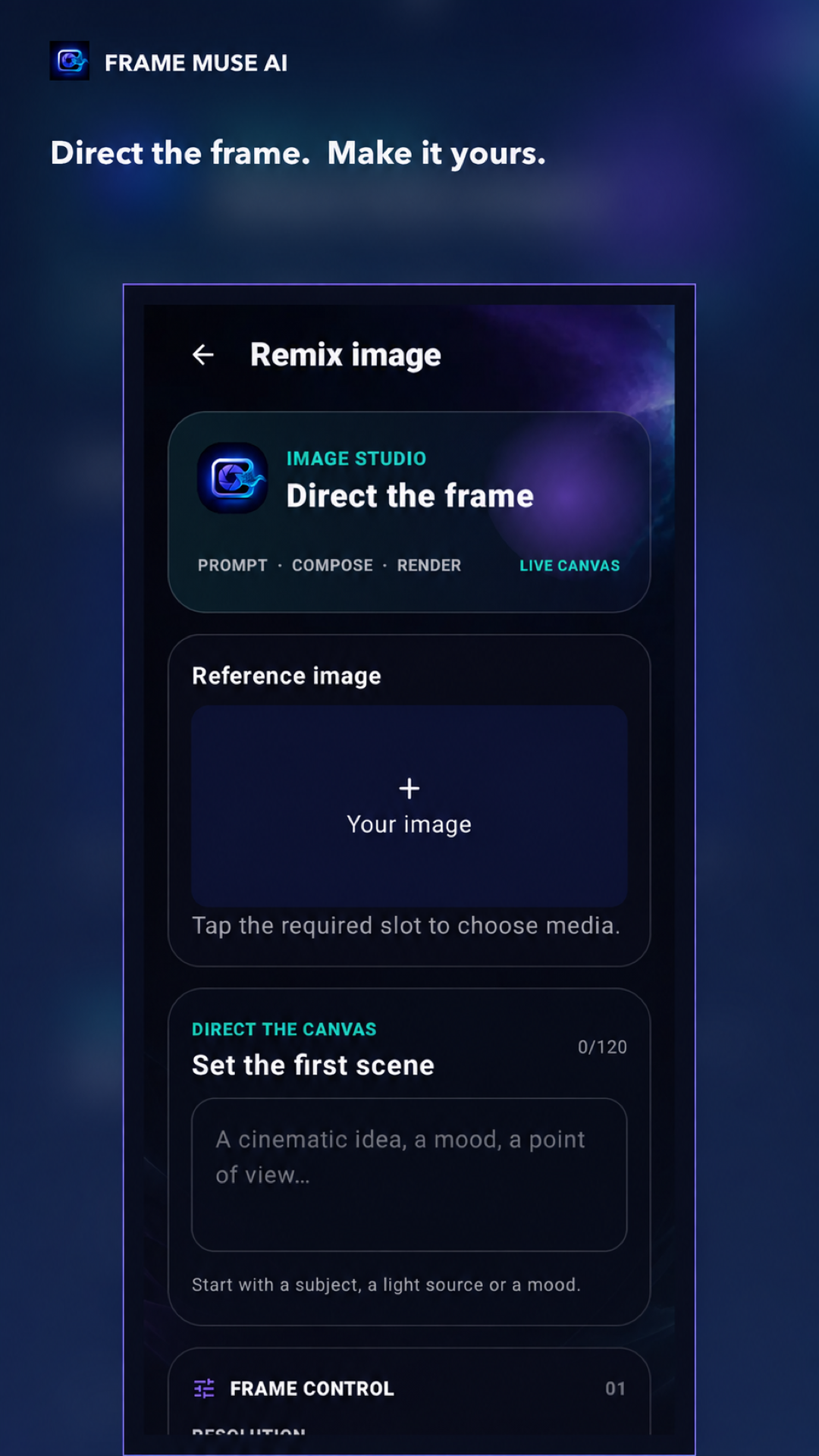
Direct the frame. Make it yours.
Step into a dedicated workspace designed for filmmakers, designers, and visual creators. Prompt, compose, and review your live canvas with precision.
- Reference Image Slot — Tap to upload your starting image or subject reference seamlessly.
- Direct the Canvas — Set the first scene with descriptive moods, light sources, and perspectives.
- Frame Control & Resolution — Choose aspect ratio, output resolution, and video duration before rendering.
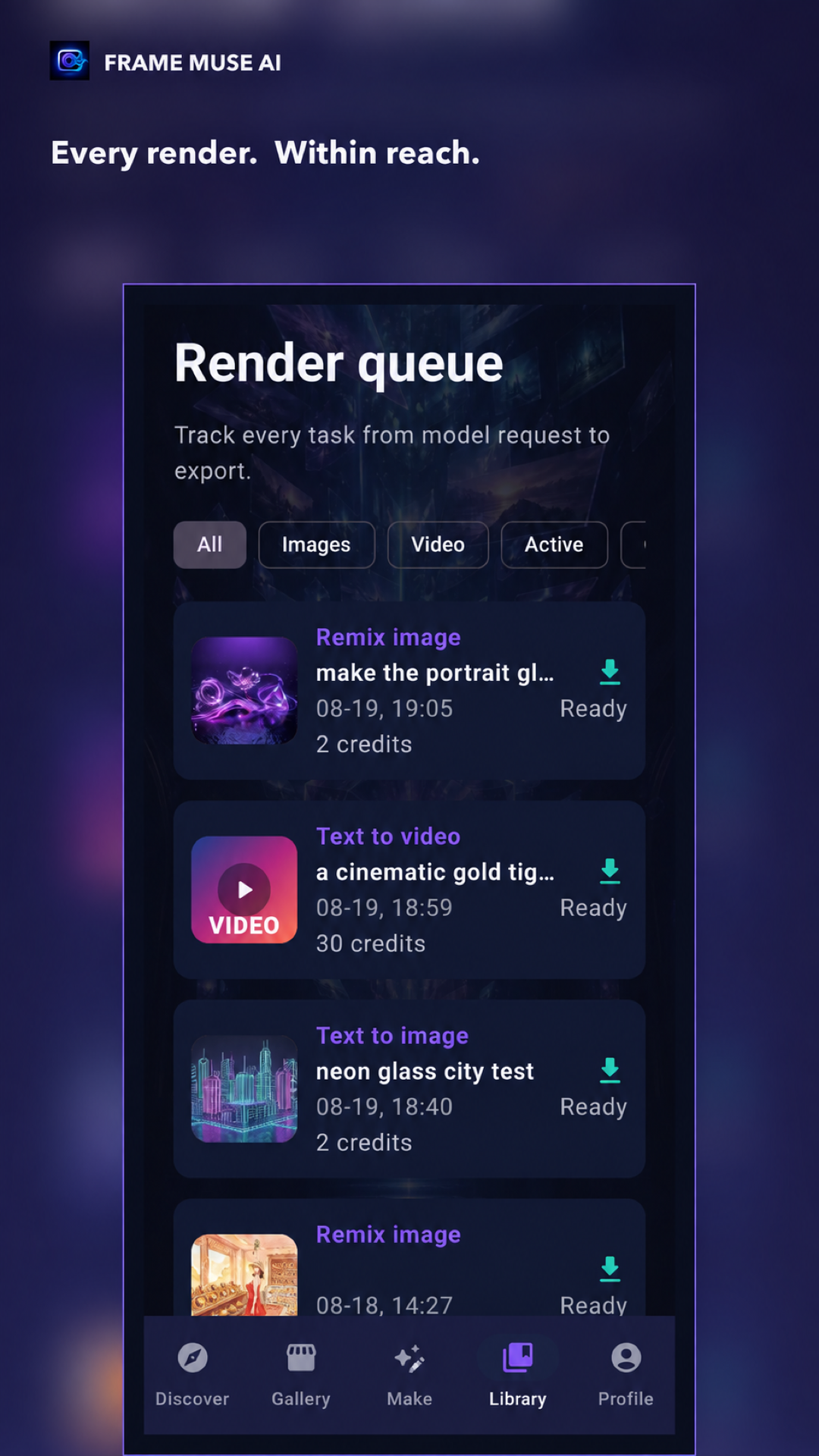
Every render. Within reach.
Track queued, rendering, completed, and failed generations in your dedicated Library. Review job progress, estimated credit usage, and download completed takes instantly.
- Live Render Queue — View status updates from model request to export, with ready notifications.
- Integrated Video Player — Play generated videos directly in-app, fullscreen image previews, and one-tap download.
- Clear Credit Economics — See estimated credit usage before submitting each render (e.g. 2 credits for image, 30 for video).
Transparent Render Pipeline
Track every task from model request to export
Prompt & Canvas Sent
Your prompt, reference images, aspect ratio, and render parameters are formatted and assigned to dedicated GPU nodes.
Neural Diffusion
Generative models synthesize lighting, composition, texture, and motion vectors with sub-frame temporal coherence.
Instant Library Delivery
High-resolution media arrives in your Library ready for playback, direct export to device storage, or sharing.
Designed for visual creators
Official Android application screenshots showing the clean Cyber Aperture interface.